
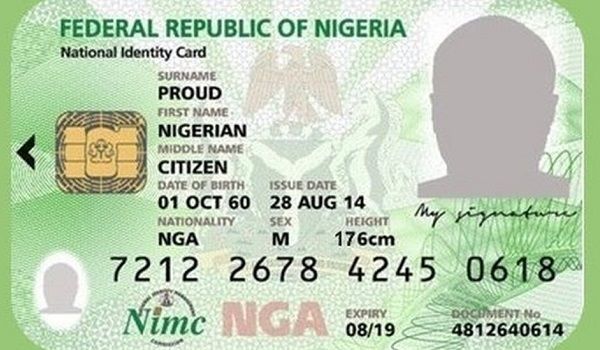
How to Check Your NIN
If you have forgotten your National Identification Number (NIN), you can check it on your phone using the official NIN retrieval service or access your digital identity through a NIMC-supported mobile option.
The simplest route is usually the USSD service, although you may need the phone number you used during enrolment. The exact steps depend on whether you only need to retrieve the number or want to view your digital ID or download your NIN slip.
WHAT YOU NEED
- A mobile phone that can make calls or run an app.
- The phone number you used when registering for your NIN, if available.
- Sufficient airtime if your mobile network charges for the USSD request.
- Internet access if you want to use an official mobile app or online portal.
- Your NIN enrolment details, if you have them.
Important: Your NIN is sensitive personal information. Only enter it on official services or share it with an authorised organisation that genuinely needs it.
Step 1: Dial the NIN retrieval code
On your phone, open the dialler and enter *346#. Follow the instructions displayed on your screen to select the NIN retrieval option, where available. Your network may display a charge before you continue, so read the prompt carefully.
The code has been used for NIN retrieval in Nigeria, but USSD menus and network support can change. If the menu does not appear or the request fails, check the latest guidance from the National Identity Management Commission (NIMC) rather than relying on unofficial websites or social media posts.
Official source for this step: NIMC guidance on verifying a profile and retrieving a forgotten NIN.
Step 2: Follow the instructions on your screen
After dialling the code, read each prompt before choosing an option. Depending on the service menu, you may be asked to select a retrieval option or confirm the request. Avoid selecting unrelated services simply because they appear first.
If your phone displays a message explaining that the service is unavailable, try again later or check with your mobile network. Do not repeatedly enter personal information into an unfamiliar page or respond to a message from someone claiming they can retrieve your NIN for a fee.
Official source for this step: NIMC’s official NIN information page.
Step 3: Check whether your registered phone number is available
Some NIN-related digital services require the phone number linked to your enrolment. If you changed your number after registering, you may encounter a verification problem. The same issue can arise if you are using a SIM card that belongs to someone else.
If the original number is still active, use it when the official service requires it. If you no longer have access to that number, consult NIMC’s official guidance or visit an authorised enrolment centre for assistance. Do not give your NIN, bank details or one-time passwords to a stranger offering to update your records.
Official source for this step: NIMC Mobile Digital ID instructions.
Step 4: Use the official mobile ID option if you need more than the number
If you want to view your digital identity rather than retrieve only the number, consult NIMC’s instructions for its Mobile Digital ID service. The official guidance explains how to install the app, access your digital ID and use the available verification features.
Download an identity app only through the official route identified by NIMC. Avoid downloading installation files from random blogs, WhatsApp groups or social media accounts. Unofficial apps can expose sensitive information or misuse your details.
NIMC’s guidance also explains how users can access its online portal with the relevant credentials generated through the mobile app. Follow the instructions on the official page, as app requirements may change.
Official source for this step: NIMC Mobile Digital ID.
Step 5: Download or replace your NIN slip if necessary
Checking your NIN number and obtaining a copy of your NIN slip are related but different tasks. If you need a copy of the slip for an application or personal records, check the current official options before paying anyone to obtain it for you.
NIMC’s website provides information about slip re-issuance, while its NINAuth service has published guidance on downloading an official NIN slip through the app. The procedure and any applicable fees depend on the service you need, so confirm the latest requirements on the official platform.
Official sources: NIMC slip re-issuance guidance and NINAuth instructions for downloading a NIN slip.
What if the NIN code does not work?
A failed request does not automatically mean that your NIN is invalid. The issue could be temporary network downtime, a USSD menu change, insufficient airtime, a problem with your registered number or a service restriction.
Try these practical checks:
- Check the code: Make sure you entered the USSD code correctly.
- Check your airtime: Your network may charge for the request.
- Try again later: Temporary service interruptions can prevent a request from completing.
- Use an official alternative: Review NIMC’s current Mobile Digital ID and NINAuth guidance.
- Contact NIMC or visit an authorised centre: This is the safest option if you cannot access the registered phone number or your records appear incorrect.
Do not post your NIN on Facebook, public WhatsApp groups or other open platforms to ask strangers for help. NIMC warns users to be careful with fraudulent accounts and unauthorised apps that request identity details. Your NIN should be shared only when necessary and with an appropriate, trusted recipient.
Why your NIN matters
Your National Identification Number is an 11-digit number assigned to you after successful enrolment. It helps connect your identity information to the National Identity Database and can be required for services such as banking, travel-related processes and other identity checks.
Because it is linked to your identity, keep the number in a secure place. You might store it in a protected personal record or retain your official slip somewhere safe. Avoid leaving a clear image of your NIN slip in a public cloud folder or forwarding it to people you do not know.
Frequently Asked Questions
1. What code can I use to check my NIN on my phone?
The commonly used retrieval code is *346#. Follow the on-screen instructions and check the latest official NIMC guidance if the service does not work.
2. Can I check my NIN without the phone number I registered with?
You may have difficulty using phone-based verification if you no longer have access to your registered number. Check NIMC’s official options or visit an authorised enrolment centre for assistance.
3. Is checking my NIN free?
Your NIN enrolment is free, but a mobile network may charge for a USSD request. Confirm any displayed charge before proceeding, and do not pay unofficial agents who promise to retrieve your number.
4. Can I check my NIN online?
You can use NIMC-supported digital services for certain identity tasks. Follow the official instructions for the Mobile Digital ID or NINAuth service, depending on whether you need to view your digital ID or obtain a slip.
5. What should I do if the NIN displayed is incorrect?
Do not try to alter the record yourself or use an unofficial service. Contact NIMC through its official channels to find out how to verify or correct your details.




Leave a reply




Africa’s Source for Breaking News | Entertainments | Health | Finance | Sports | Lifestyle and Business News.


