
Network Outage in My Area: How to Check and Fix Your Connection
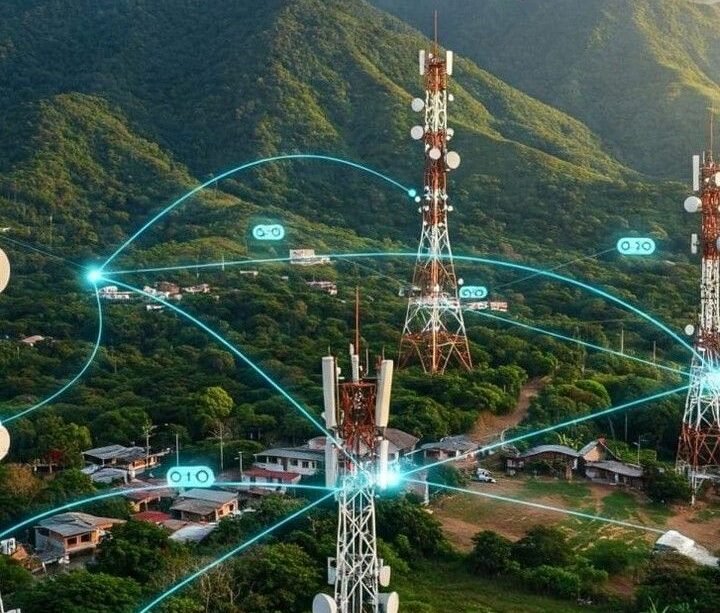
Network Outage in My Area
When your mobile data stops working, calls fail or your internet becomes unusually slow, your first instinct may be to blame your phone.
However, the problem could be a network outage, congestion, poor coverage, a faulty SIM card, incorrect settings or an issue affecting only one app.
Before buying another data bundle, restarting your phone repeatedly or visiting a repair shop, check whether your network provider is experiencing problems in your area.
This guide explains how to identify a network outage, troubleshoot your connection and report persistent service problems in Nigeria.
Quick guide: How to check for a network outage
| What to check | What to do | What it tells you |
|---|---|---|
| Other users on the same network | Ask neighbours or colleagues | Whether the problem may affect several subscribers |
| Provider announcements | Check official website and social accounts | Whether the provider has acknowledged an outage |
| Network coverage | Move to a different location | Whether the issue is local signal strength |
| Phone settings | Check airplane mode, mobile data and network selection | Whether the device settings are responsible |
| SIM card | Test it in another compatible phone | Whether the SIM or phone may be faulty |
| Other websites and apps | Try several services | Whether the problem is specific to one platform |
| Wi-Fi connection | Test another internet connection | Whether mobile data or the app itself is responsible |
| NCC complaints | Report unresolved service issues | How to escalate a complaint |
1. Check whether other people are experiencing the same problem
The fastest way to determine whether your network has an outage is to compare your experience with other people using the same provider. If you are using MTN, ask other MTN subscribers nearby whether they can browse, make calls or send messages.
Repeat the test with Airtel, Glo or another available network if possible. If several people using the same provider experience similar problems in the same location, the issue may be related to the network rather than your phone.
For example, if MTN subscribers in your estate cannot make calls or access mobile data while Airtel users can browse normally, the problem may be affecting MTN’s local service.
However, a network outage is not the only possible explanation. Congestion, local coverage problems or maintenance work may affect users differently.
2. Check your network provider’s official channels
Mobile network operators may publish service announcements, maintenance updates or information about technical problems through their official communication channels.
Check:
- Your provider’s official website.
- Official customer-care social media accounts.
- The provider’s mobile application, where available.
- Customer-care announcements.
- Official messages sent to subscribers.
Search for the name of your network provider alongside your location and the words “network outage”, “service disruption” or “maintenance”.
For example:
- MTN network outage in Lekki.
- Airtel network problem in Ikeja.
- Glo service disruption in Abuja.
- 9mobile network outage in Lagos.
Remember that not every outage is publicly announced immediately. The absence of an announcement does not necessarily mean the network is working normally.
3. Use outage-reporting websites carefully
Independent outage-monitoring platforms can help you identify whether other users are reporting similar problems.
These platforms typically collect user reports and display patterns of complaints. A sudden increase in reports may suggest a disruption.
You can check:
These services can be useful for identifying possible outages, but they are not official confirmation from your network provider.
Treat user reports as indicators rather than definitive proof. A few complaints may reflect isolated problems, while a larger spike could suggest a widespread service issue.
4. Check your network signal strength
Your phone’s signal bars provide a basic indication of reception, but they do not always tell you the full story.
You may have several signal bars and still experience slow browsing or failed calls.
Network performance depends on factors such as:
- Signal strength.
- Network congestion.
- Distance from the base station.
- Buildings and physical obstacles.
- Weather and environmental conditions.
- Network technology available in your area.
- The capacity of the network serving your location.
Try moving closer to a window or stepping outside if you are indoors.
If your connection improves significantly, the problem may involve indoor signal penetration or local coverage rather than a complete outage.
5. Restart your phone and reconnect to the network
Sometimes your phone may fail to establish a stable connection even when the network is available.
Try these simple steps:
- Turn on airplane mode.
- Wait approximately 15–30 seconds.
- Turn airplane mode off.
- Allow your phone to reconnect.
- Try making a call or opening a website.
If that does not work, restart your phone.
This can help refresh the device’s network connection and clear temporary software problems.
However, restarting your phone will not fix a network outage affecting your provider’s infrastructure.
6. Check whether your mobile data is actually enabled
It sounds obvious, but mobile data problems can sometimes come from simple settings.
Check that:
- Mobile data is switched on.
- Airplane mode is off.
- Your SIM is selected for mobile data if you use dual SIM.
- You have not accidentally disabled data for the SIM.
- Your data bundle has not expired.
- You have not exhausted your available data.
- Your phone is using a compatible network mode.
On some phones, a user may have two SIM cards but accidentally assign calls to one SIM and data to another.
Review your settings carefully before assuming the provider is experiencing an outage.
7. Test whether the problem affects calls, SMS or data
Network problems do not always affect every service equally.
You may be able to browse but unable to make calls. Alternatively, calls may work while mobile data remains unavailable.
Try the following:
| Service | Test |
|---|---|
| Voice calls | Call another number |
| SMS | Send a text message |
| Mobile data | Open a website |
| USSD | Try a relevant network service code |
| Messaging apps | Send a message through WhatsApp or another app |
If only one service is affected, the problem may involve that particular service rather than a complete network outage.
For example, if calls and SMS work but mobile data does not, check your data bundle, mobile data settings and network configuration.
8. Test your SIM card in another phone
A faulty SIM card, damaged SIM tray or phone hardware problem may cause connectivity issues.
If you have access to another compatible phone, insert your SIM and test the connection.
If the SIM works normally in another device, your original phone may be responsible.
If the SIM still cannot connect, the problem could involve the SIM card, your account, local network conditions or the provider.
You can also test another SIM card in your phone.
This comparison helps narrow down the problem:
- Your SIM works in another phone: investigate your original device.
- Another SIM works in your phone: investigate your SIM or account.
- Both SIMs fail in your phone: investigate your device settings or hardware.
- Multiple users on the same network fail nearby: investigate a possible network disruption.
9. Check whether the problem affects one app or the entire internet
Sometimes users believe their network is down because WhatsApp, Instagram, Facebook, X or another application is not working.
However, the issue may be affecting only the app.
Try opening several different websites.
For example:
- Open Google.
- Visit a news website.
- Try another browser.
- Send a message through a different messaging application.
- Check whether the app works using Wi-Fi.
If other websites work normally but one application refuses to load, the issue may be with that application’s servers, account, settings or software.
You can also check official service announcements from the affected platform.
Do not purchase another data bundle simply because one application is unavailable.
10. Check whether your area has poor coverage or network congestion
A network can be functioning normally while your particular location experiences weak reception or congestion.
This often happens in:
- Crowded residential estates.
- Markets.
- Concert venues.
- Stadiums.
- University campuses.
- Busy commercial districts.
- Buildings with thick walls.
- Areas with limited network infrastructure.
During peak periods, many users may connect to the same network infrastructure. The result can be slow browsing, delayed messages, buffering and dropped calls.
If the problem occurs mainly during evenings, weekends or busy events, congestion may be a possible explanation.
Try testing your connection at different times of the day. If the network works better early in the morning but slows significantly at night, the pattern may help your provider investigate capacity issues.
11. Check your phone’s network mode
Your phone may be configured to use a network mode that is not ideal for your location.
Depending on the device, available settings may include:
- 2G.
- 3G.
- 4G or LTE.
- 5G, where supported and available.
If your phone is set to a network mode that is unavailable or unstable in your area, connection problems may occur.
Use automatic network selection where appropriate, allowing the device to select a compatible network.
Avoid changing advanced network settings unnecessarily. If you do not understand a particular setting, check your phone manufacturer’s instructions or contact your provider.
12. What to do when your network is down and you need internet urgently
A network outage can disrupt work, banking, online classes, business communication and emergencies.
If your primary network is unavailable, consider these practical alternatives:
Use another network
If you have a second SIM card, check whether its provider is working in your area.
You may be able to use another network temporarily for calls or data.
Connect to Wi-Fi
If you have access to a reliable Wi-Fi connection, use it for important communications, work or online transactions.
Move to a location with better reception
A nearby location may have better coverage.
If you need to make an important call, moving outdoors or to a different part of a building may improve reception.
Avoid unnecessary purchases
Do not purchase a new data bundle until you have checked whether your network is functioning.
If the problem is an outage, buying more data may not solve it.
13. How to report a network problem in Nigeria
If the problem persists, contact your service provider. Nigeria’s telecommunications regulator, the Nigerian Communications Commission (NCC), advises consumers to report service issues to their provider first.
When reporting your problem, include:
- Your phone number.
- Your network provider.
- Your location.
- The date and time the problem began.
- Whether calls, SMS or data are affected.
- The steps you have already taken.
- Screenshots or other relevant evidence, where appropriate.
Ask for a complaint reference or ticket number and keep it for follow-up.
The NCC’s consumer guidance explains the complaint process and how to escalate unresolved issues.
Visit the NCC Consumer Portal for official consumer information and complaint channels.
You can also consult the NCC’s telecom complaint resolution guide.
14. When should you escalate your complaint to the NCC?
If you have contacted your service provider and the issue remains unresolved, you may escalate the complaint to the NCC through the appropriate consumer complaint channels.
The NCC advises consumers to contact their provider first, retain their complaint details and use the regulator’s channels when the matter remains unresolved.
The Commission’s consumer portal provides information on filing complaints, tracking complaint status and seeking redress.
You can also contact the NCC through its toll-free consumer line, 622, where applicable.
When escalating, provide your complaint reference number, affected phone number, location, description of the problem and the steps already taken.
A clear record can help the regulator and provider understand the issue.
15. Could you qualify for compensation for a prolonged network outage?
The NCC has published a consumer compensation framework for qualifying service disruptions and poor-quality service experiences.
Compensation is not automatic for every short interruption. The framework applies to service failures that meet the specified thresholds and regulatory conditions.
The NCC explains that qualifying compensation may be provided as airtime credits, with operators expected to identify affected subscribers through network performance monitoring.
You can read the NCC compensation framework.
If you believe your experience qualifies, follow official announcements and your provider’s instructions.
The next time your network stops working
When your internet suddenly disappears, do not immediately conclude that your phone is faulty.
Check whether other users are affected, look for provider announcements, test your SIM, verify your settings and try several websites.
If the problem persists, report it through official channels and keep your complaint reference.
These simple checks can save you money, prevent unnecessary repairs and help you identify whether the issue is your phone, SIM, provider, location or a wider network outage.
Frequently Asked Questions
1. How can I check if MTN, Airtel, Glo or 9mobile is down in my area?
Check your provider’s official website and social media channels, ask other subscribers nearby and consult independent outage-reporting platforms. These methods can help identify a possible disruption, although only your provider can confirm its network status.
2. Why is my mobile data not working when I have a data bundle?
The problem may involve network coverage, congestion, incorrect phone settings, a SIM issue, a provider outage or an application problem. Check your settings, test other websites and compare your connection with other users.
3. Why is my network slow at night?
Network congestion may occur when many people use the same infrastructure during busy periods. Poor coverage, signal interference and device limitations may also contribute to slow speeds.
4. Should I buy another data bundle when my network is down?
Not immediately. First check your current data balance and whether the network is working. Purchasing another bundle will not necessarily resolve a network outage.
5. How do I report poor network service in Nigeria?
Contact your network provider through its official customer-care channels first. Keep your complaint reference number and escalate unresolved issues to the Nigerian Communications Commission through its consumer portal or applicable complaint channels.



Leave a reply




Africa’s Source for Breaking News | Entertainments | Health | Finance | Sports | Lifestyle and Business News.


